Any Source. Any Destination. One Platform.
Platform at a Glance
Enterprise migration and data management
Smart Discovery
Scan billions of files with constant memory usage.
Performance Assessment
Know your transfer time, network health, and risks before you start.
Transfer
Scale from one to unlimited workers.
Audit & Reporting
Hand your auditor the proof.
See all 4 phases in 42 seconds
Discovery → Assessment → Transfer → Reporting
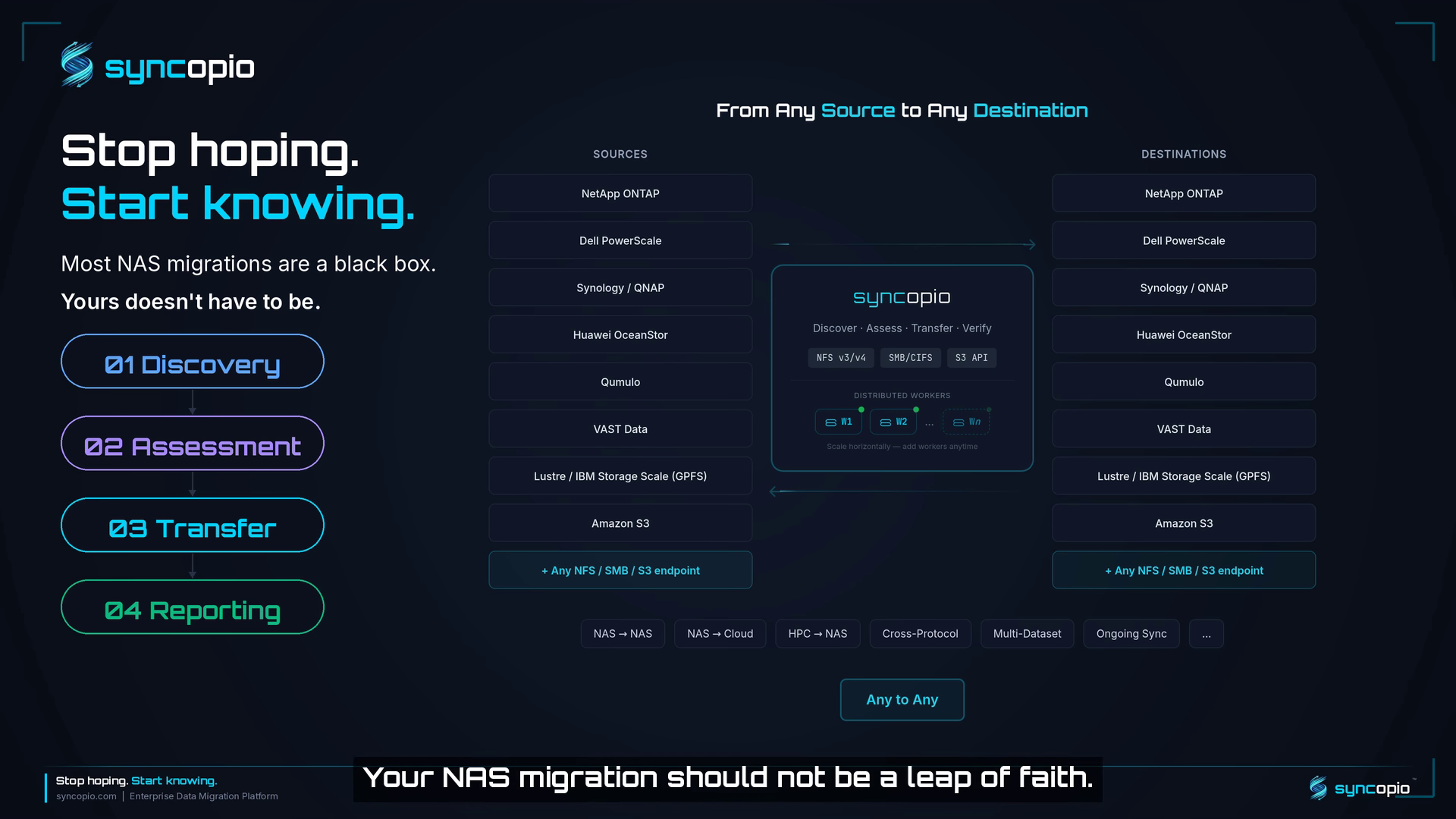
The complete syncopio workflow
Smart Discovery
Scan billions of files with constant memory. Incremental caching makes repeat scans orders of magnitude faster.
Incremental Scan Cache
Orders of magnitude faster repeat scans. Only changed directories are rescanned — the rest is served from cache.
Data Composition Breakdown
Visualize your data by file type, size distribution, and content category. Know exactly what you're moving at a glance.
Top Folders
Instantly see your largest directories by size and file count. Find the hotspots that will dominate your migration.
Stale Data Detection
Find forgotten files by age — from last week to over 10 years old. Decide what to migrate and what to leave behind.
Exclusion Patterns
Filter files by pattern, extension, or path. Include or exclude exactly what you need.
Delta Change Detection
See exactly what's new, modified, or deleted since your last scan. Only transfer what actually changed.
Multi-Protocol Scanning
Scan NFS v3/v4, SMB/CIFS, and S3-compatible sources natively. No agents or special drivers required.
Real-Time Scan Progress
Watch file counts, scan speed, and directory progress update live as your scan runs.
Parallel Multi-Dataset Scans
Scan multiple source and destination datasets simultaneously across different endpoints.
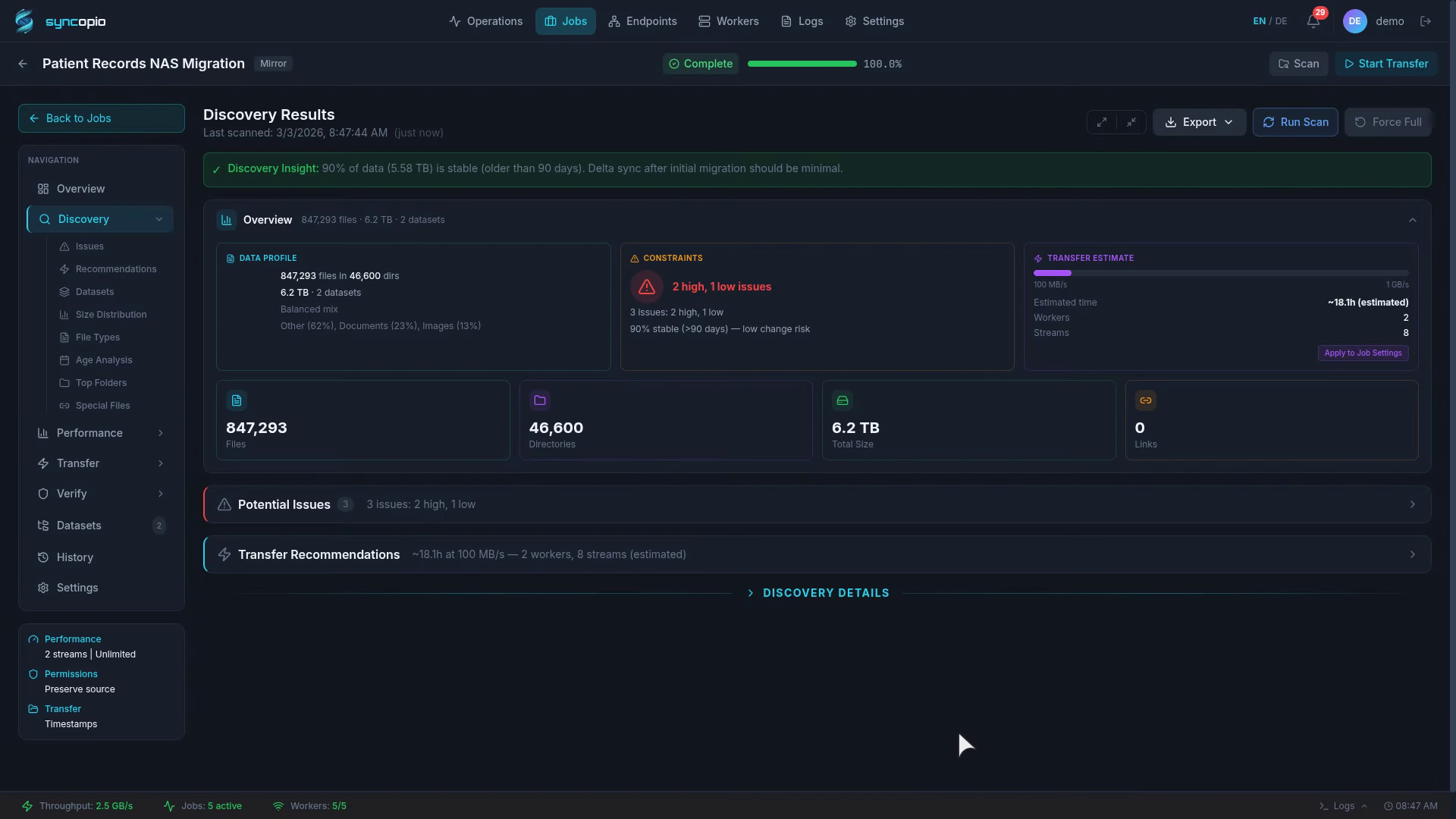
Smart Discovery in action
Performance Assessment
Know exactly what you're moving, how long it will take, and what could go wrong — before a single byte transfers.
Transfer Time Estimates
Know how long your migration will take before it starts. Best-case, realistic, and worst-case projections based on your actual file mix.
Throughput Stability Check
Measure throughput variance, latency, and transfer failure rate from actual file transfers. Spot unstable links before they slow your migration.
Risk Detection
Automatic flags for symlinks, hardlinks, sparse files, deep paths, and datasets with millions of small files — with actionable fix-it recommendations.
Throughput Profiling
Test actual transfer speed with a sample of your real data. See performance for small, medium, and large files separately.
Worker Optimization
Get recommendations for how many workers and parallel streams to run — tuned to your file mix and network conditions.
Scenario Testing
Test different migration strategies side by side. Compare approaches and get recommendations for your best path forward.
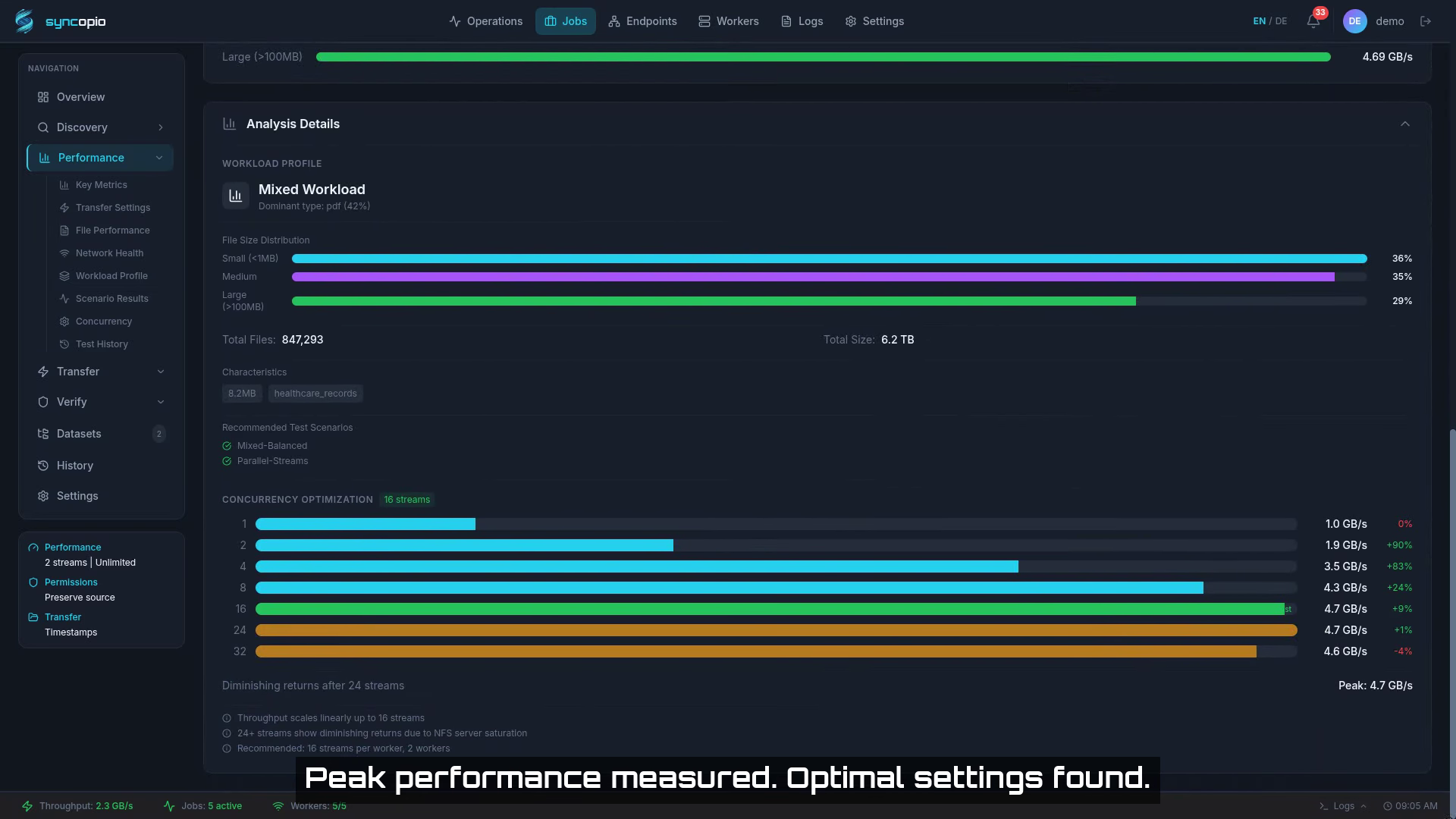
Performance Assessment in action
Transfer
Move data at scale with delta-sync, distributed workers, and automatic resume. Any protocol, any direction.
Multi-Protocol Support
NFS v3/v4, SMB/CIFS, and S3-compatible storage with cross-protocol transfers.
Delta-Sync Engine
Only transfer what changed. Multiple detection modes balance speed and accuracy.
Automatic Resume
Completed directories are tracked and skipped on retry. Failed work is automatically re-queued.
Metadata & ACL Preservation
Timestamps, POSIX/NFSv4 ACLs, ownership, extended attributes, hard links, and symlinks all preserved.
Distributed Workers
Scale vertically with bigger machines or horizontally by adding workers. Each worker scans, transfers, and verifies independently — with automatic load balancing.
Parallel Dataset Processing
Scan, mirror, sync, and update across all your datasets simultaneously. Workers pick up work from any dataset — no bottleneck on a single share.
Continuous Sync
Keep source and destination in sync with scheduled runs. Mirror changes incrementally — only modified files are transferred.
Bandwidth Throttling
Per-worker network speed limits with time-of-day scheduling.
In-Flight Checksums
Every file is checksummed as it transfers, so corruption is caught in real time — at wire speed, with no separate verification pass.
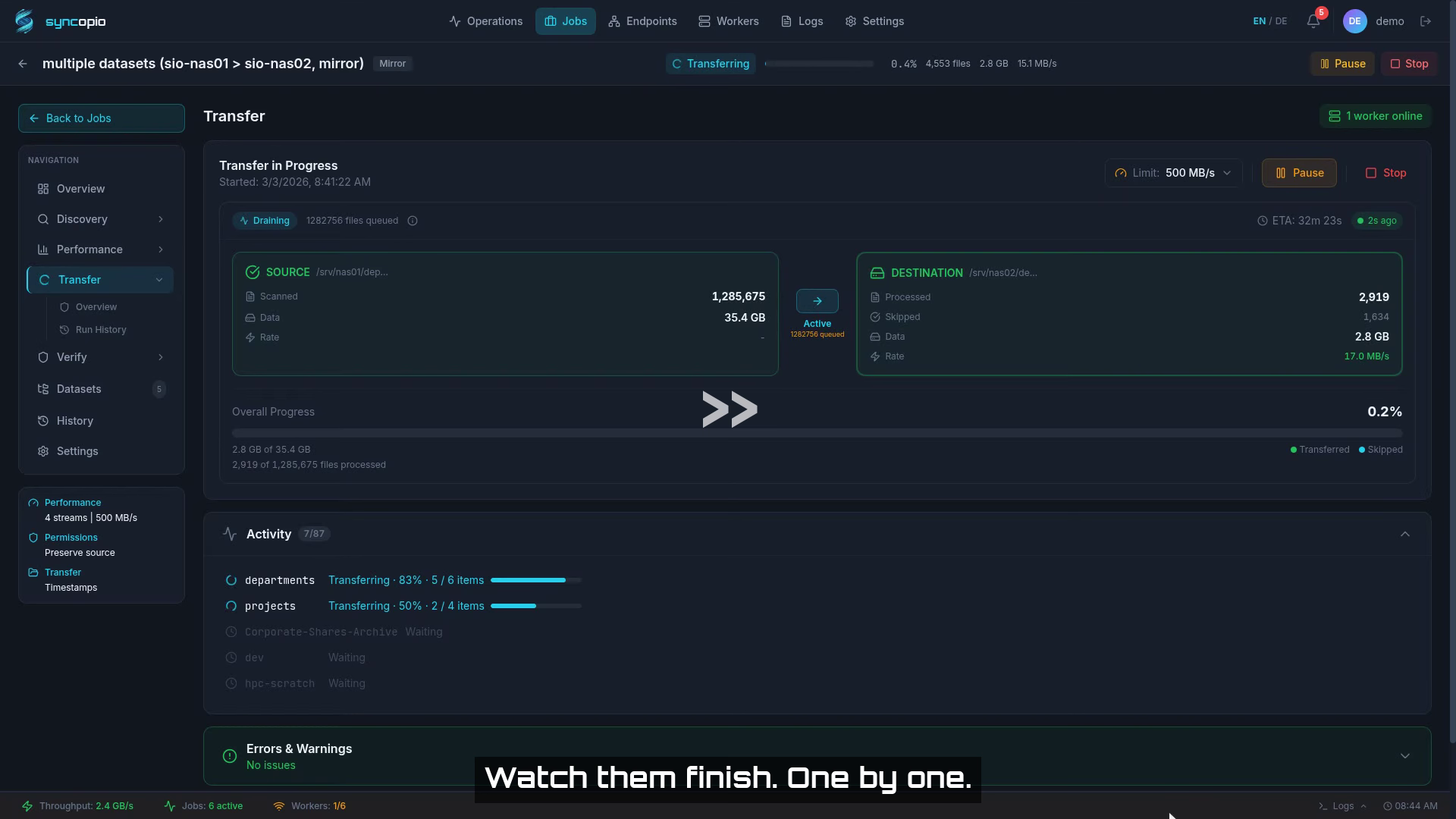
Transfer in action
Audit & Reporting
Hand your auditor the proof. Post-transfer verification, exportable reports, and a full file-level audit trail.
Post-Transfer Source vs. Target Verification
A dedicated verification pass re-reads source and destination after transfer. Independent proof that every file arrived intact — for compliance, sign-off, and peace of mind.
Four Verification Modes + Custom
Quick, Basic, Standard, and Deep built-in modes — plus a fully customizable mode for fine-grained control over checksums, permissions, and ownership.
PDF, CSV & Excel Reports
Scan, transfer, and verification reports in every format your auditor needs. One click to export.
Full File-Level Audit Trail
Every file tracked with checksum, size, timestamps, and transfer status. Know exactly what moved, what changed, and what failed.
Mismatch & Error Breakdown
Detailed reports on every discrepancy — size mismatches, checksum failures, permission differences, and missing files. Nothing slips through.
Compliance-Ready Documentation
Timestamped, immutable records for every operation. Ready for ISO 27001, SOC 2, or internal audit requirements.
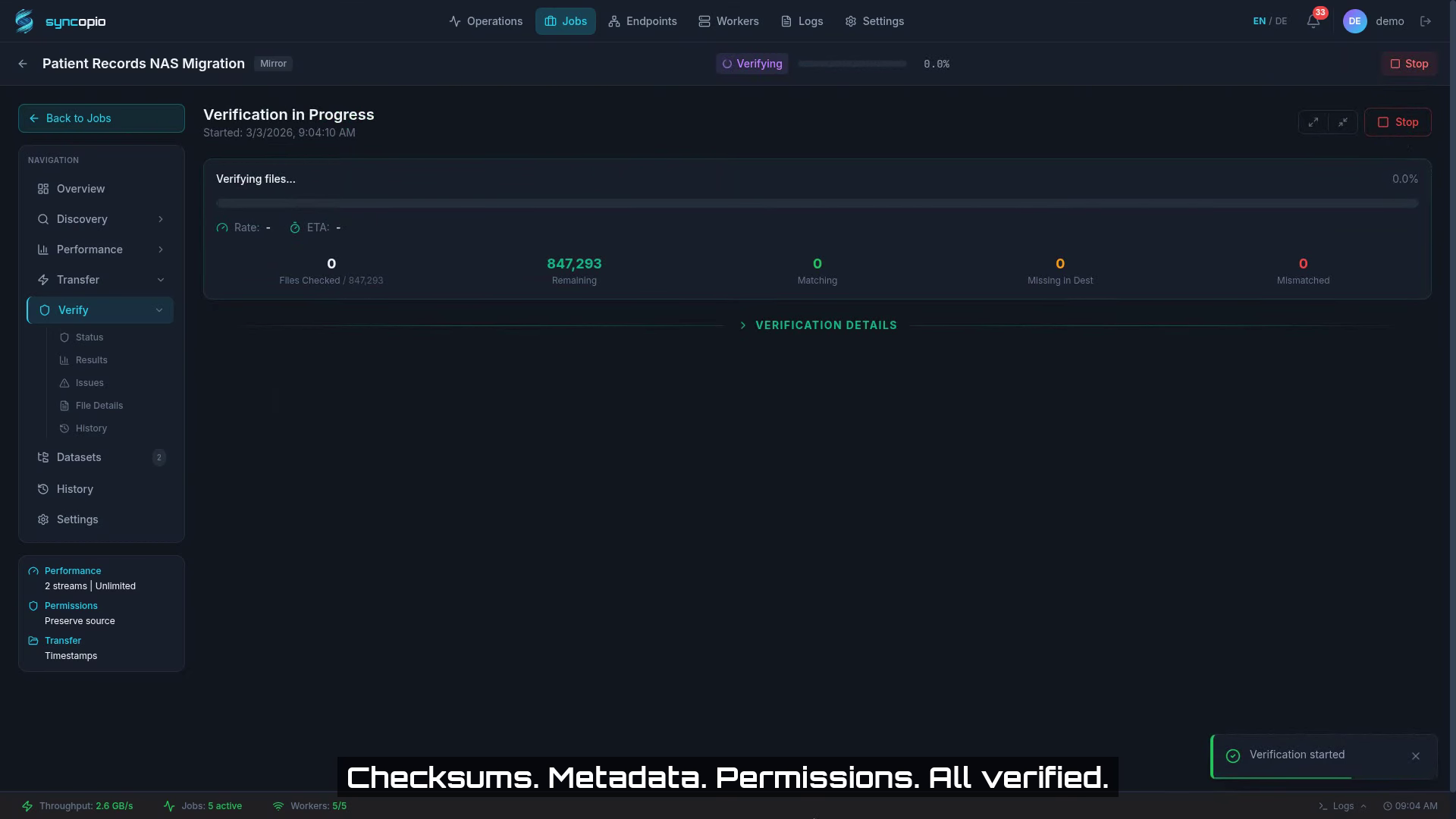
Verification in action
Platform
Built-in tools for scheduling, guided setup, full automation, and operational visibility.
Job Scheduling
Built-in cron-style scheduler for recurring migrations. No external tools needed.
Job Wizard
Guided 4-step wizard for creating migration jobs. No CLI expertise required.
CLI Tool
Full command-line interface for scripting, automation, and headless environments. Everything the web UI can do, the CLI can too.
Audit Log
Full audit trail of every action. Track who did what, when, and on which job — for compliance and troubleshooting.
Worker Management
Real-time worker health monitoring, automatic registration, and load visibility across your fleet.
REST API
Full API for integration with CI/CD pipelines, custom tooling, and third-party orchestration systems.
Email & Push Notifications
Email and ntfy push notifications on scan completion, transfer progress, failures, and cutover readiness. Configurable per job.
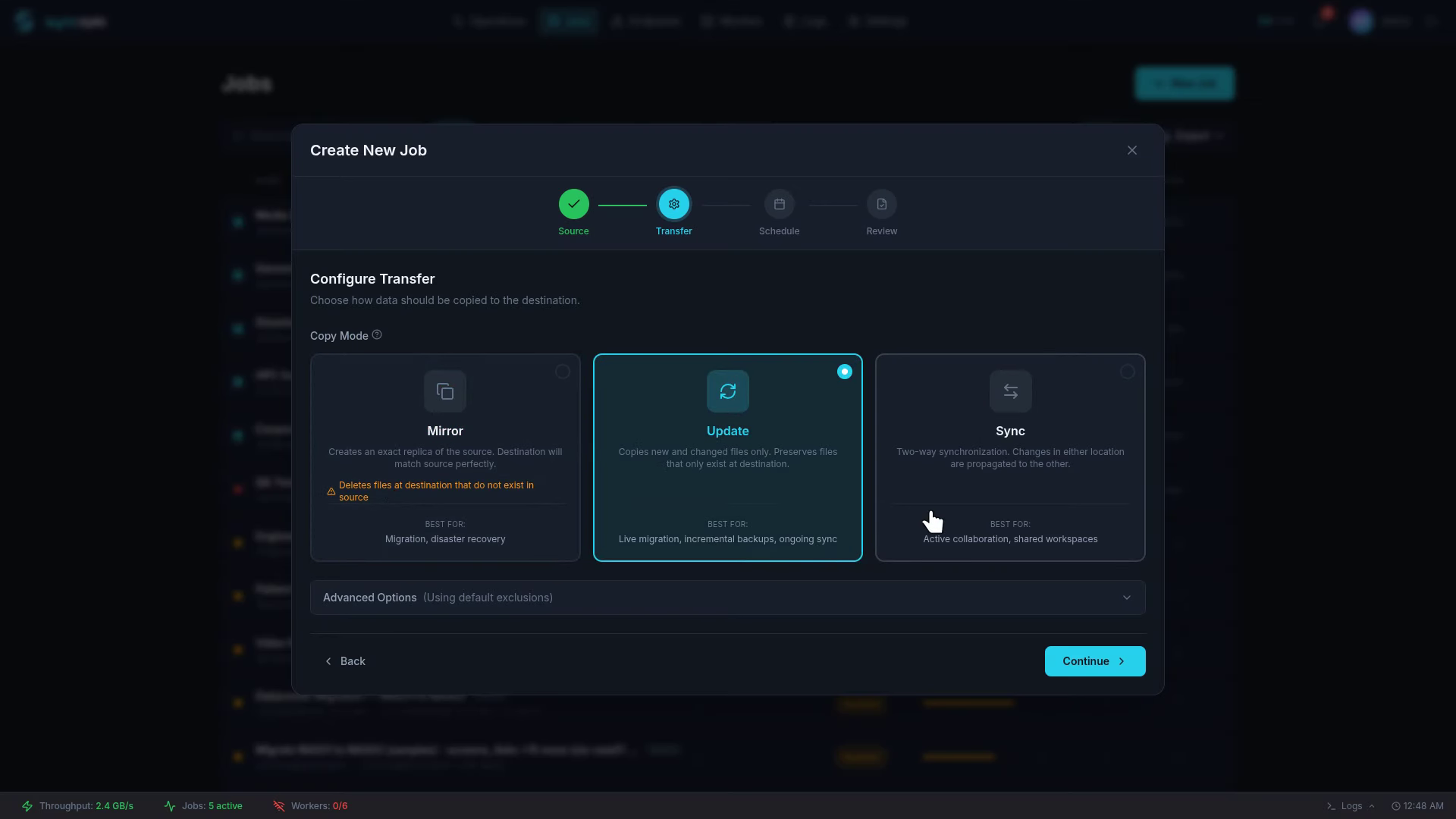
Point. Click. Migrate.
Still Migrating the Old Way?
See what you're missing. And what it's costing you.